> For the complete documentation index, see [llms.txt](https://docs.rpcfast.com/llms.txt). Markdown versions of documentation pages are available by appending `.md` to page URLs; this page is available as [Markdown](https://docs.rpcfast.com/rpc-fast-saas-evm/json-web-token-jwt.md).
# JSON Web Token (JWT)
RPC Fast operates with JSON Web Token. Here we explain the way it works
### JSON Web Token (JWT) **in simple words**
It is a JSON object defined in the RFC 7519 open standard. It is a safe method of exchanging information and representing claims with a high level of security. If you enable it, only authorized requests will proceed.
{% hint style="info" %}
JSON Web Token (JWT) is available within the [Self-Hosted Cluster of Nodes](/self-hosted-cluster/self-hosted-cluster-of-nodes.md) offering.
{% endhint %}
### Apply JWT
Follow our step-by-step instructions to send JWT requests on RPC Fast.
#### Generate RSA-256 keys
RS256 is an asymmetrical key. After creating one, you receive both public and private keys. You will use the private one to create a signature and the public one to check its authenticity.
```
# generate rsa key
openssl genrsa -out jwtRSA256-private.pem 2048
openssl rsa -in jwtRSA256-private.pem -pubout -outform PEM -out jwtRSA256-public.pem
```
#### Enable JWT in RPC Fast
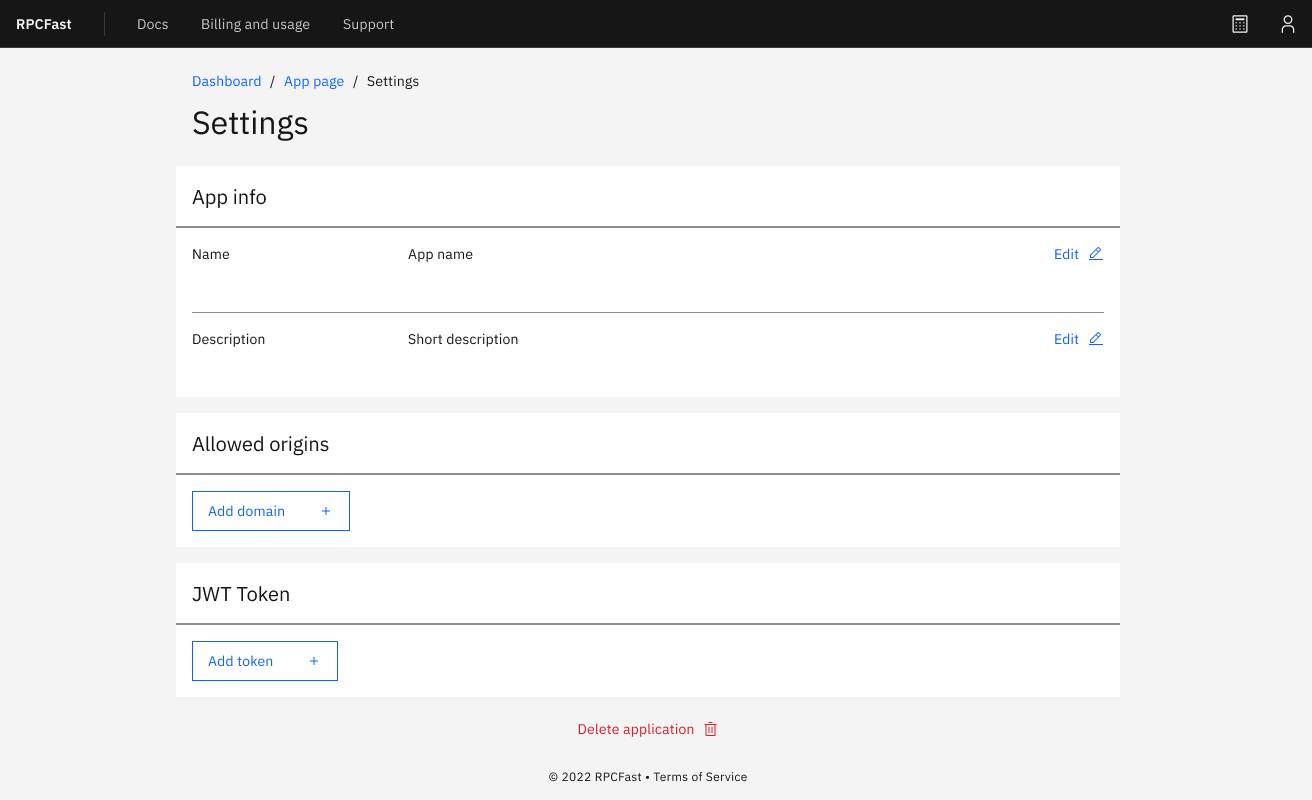
1. Login -> Dashboard -> App Page -> Settings
2. Tap ‘Add token’ in the JWT Token section and type the public RS256 key from the previous step.
3. Clicking on ‘Add’ to get a public ID
#### Generate the JSON Web Token
You should add JWT to all headers of requests to enable its work. To create a full-fledged JSON Web Token, you must fill out HEADER, PAYLOAD, and SIGNATURE cells.
| Field | Description | Example |
| ----- | ---------------------------------------- | ------------------------------------ |
| alg | Write the signing algorithm you apply | RS256 |
| typ | Fill out the token type | JWT |
| kid | Write your key id from the previous step | 10e03c88-098d-47cb-b451-a67f2137fqcf |
#### Payload
| Field | Description | Example |
| ----- | ------------------------------------------------------- | ----------- |
| aud | Who can operate with this token | rpcfast.com |
| exp | The validity time in a unix format (24 hours maximally) | 1656907527 |
{% hint style="info" %}
Use an epoch converter to receive a UNIX timestamp from a human-readable one or apply a unified command.
{% endhint %}
#### Signature
1. Encode a header.
2. Encode a payload.
3. Encode an algorithm from the title.
4. Take it all together and sign via the specific command.
```
# To encode a signature
sig=`echo -n "$header.$payload" | openssl dgst -sha256 -binary -sign jwtRSA256-private.pem | openssl enc -base64 | tr -d '\n=' | tr -- '+/' '-_'`
```
#### JSON Web Token
Now you have your JSON Web Token! It looks like an encoded header, signature, and payload.
```
# JWT = header.payload.signature
jwt=`echo $header.$payload.$sig`
echo $jwt
```
You will need a debugger to verify it.
### Sending requests with JSON Web Token
Add JWT to the request header entry to proceed with it correctly.
### What should I do with a wrong JWT?
If you try sending requests with a wrong JWT or without it after enabling, a program will show the error 401 status code (security troubles). Disable JWT or enter the right one to continue operations.
```
{"error":"invalid payload or JWT configuration"}
```
### Key rotation support
PRC Fast is OK with key rotation. All you need to do is to upload a new one.
---
# Agent Instructions
This documentation is published with GitBook. GitBook is the documentation platform designed so that both humans and AI agents can read, navigate, and reason over technical content effectively. Learn more at gitbook.com.
## Querying This Documentation
If you need additional information that is not directly available in this page, you can query the documentation by asking a question.
Perform an HTTP GET request on the following URL with the `ask` and `goal` query parameters:
```
GET https://docs.rpcfast.com/rpc-fast-saas-evm/json-web-token-jwt.md?ask=&goal=
```
`ask` is the immediate question: it should be specific, self-contained, and written in natural language.
`goal` is what the user is ultimately trying to achieve, the reason they need the answer. Sharing it helps GitBook give you a better, more relevant answer. A goal is most helpful when it describes the outcome the user wants rather than restating the question. For example, with `ask=how do I create an API token`, a goal like `automate deployments from our CI pipeline` lets GitBook tailor the answer to that use case.
The response will contain a direct answer to the question and relevant excerpts and sources from the documentation.
Use this mechanism when the answer is not explicitly present in the current page, you need clarification or additional context, or you want to retrieve related documentation sections.