> For the complete documentation index, see [llms.txt](https://docs.rpcfast.com/llms.txt). Markdown versions of documentation pages are available by appending `.md` to page URLs; this page is available as [Markdown](https://docs.rpcfast.com/rpc-fast-saas-solana/testing-access.md).
# Testing Access
Test Yellowstone gRPC, Shredstream gRPC, and TxStream performance on paid plans.
We provide a **24-hour trial endpoint** to help you evaluate our paid plans and Yellowstone, Shredstream, and TxStream performance.
### Geolocation
Currently, we are present in Frankfurt only, **Equinix FR13** data center.
{% hint style="warning" %}
For the most efficient performance and lowest latency, we recommend deploying your app in the **same region data center** or close. Recommended providers: Cherry Servers, Teraswitch, Latitude, AWS, GCP.
{% endhint %}
***
### How to Request Access
#### 1. Create an account
Sign up for the **Start plan** (free of charge) in the dashboard: .
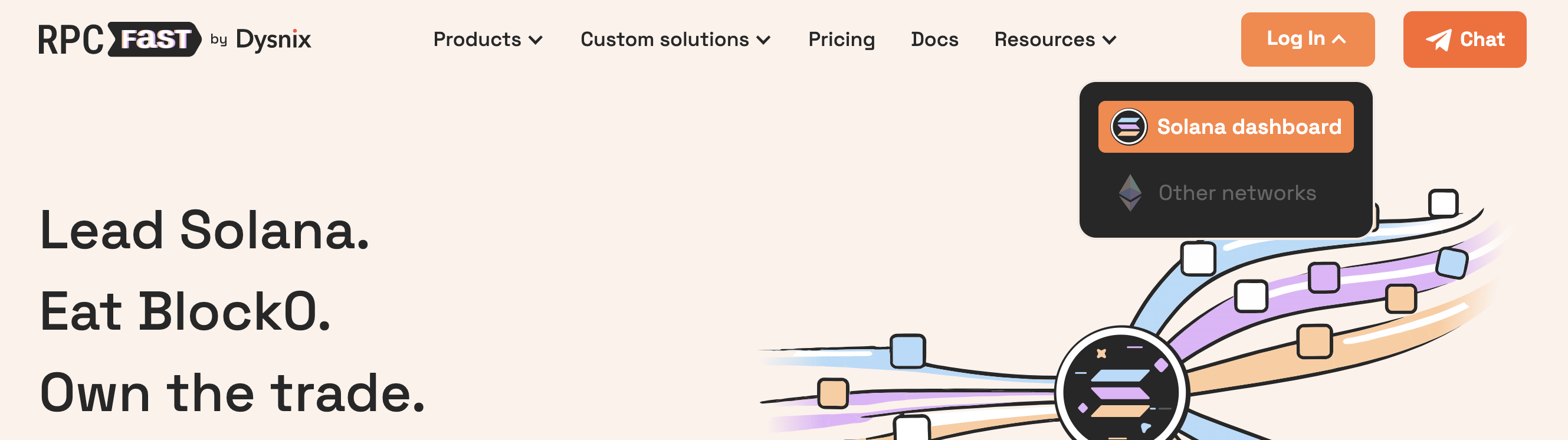
* Click **Log In** button in the top right corner and choose **Solana dashboard.**
* **Sign up** for a new account. Make sure that you use your active email account, which can be further used for communication with our Support. We are sorry for the poor log in/sign up UI – it will get better soon, we promise.
* **Enjoy your free RPC endpoint!** Feel free to explore the dashboard (it's as simple as it gets).
***
#### 2. Send a request
Email us at `solana-support@rpcfast.com`, using the **same email** as your RPC Fast account, so we can identify you.
Pick the right product you want to test.
Mail subject: **Test gRPC**
In your message, please specify:
* **Plan to test:**
* `Stream` – if you are interested in Yellowstone gRPC only;
* `Aperture` – for Shredstream, Yellowstone, and TxStream gRPC.
* If you want your trial to start on specific date/time, please mention **preferred timing** (inlcude the timezone).
***
#### 3. Get access
The selected plan trial will be activated on your account **within 24-48 hours** upon receiving the request. If you run into any issues or need a trial extension, just reply to the same email.
***
### Trial & Upgrade Terms
{% hint style="warning" icon="light-emergency-on" %}
We recommend **preparing your test setup in advance** to make the most of your trial.
{% endhint %}
* You can end the trial at any time by upgrading to a paid plan, or simply let it expire automatically.
* While the trial is active, the *Start* plan cannot be re-selected.
* Trials are **not available** for accounts that are already on a paid plan.
***
{% hint style="success" icon="rabbit-running" %}
#### Happy testing – may your latency be low and your shreds fly!
{% endhint %}
---
# Agent Instructions
This documentation is published with GitBook. GitBook is the documentation platform designed so that both humans and AI agents can read, navigate, and reason over technical content effectively. Learn more at gitbook.com.
## Querying This Documentation
If you need additional information that is not directly available in this page, you can query the documentation by asking a question.
Perform an HTTP GET request on the following URL with the `ask` and `goal` query parameters:
```
GET https://docs.rpcfast.com/rpc-fast-saas-solana/testing-access.md?ask=&goal=
```
`ask` is the immediate question: it should be specific, self-contained, and written in natural language.
`goal` is what the user is ultimately trying to achieve, the reason they need the answer. Sharing it helps GitBook give you a better, more relevant answer. A goal is most helpful when it describes the outcome the user wants rather than restating the question. For example, with `ask=how do I create an API token`, a goal like `automate deployments from our CI pipeline` lets GitBook tailor the answer to that use case.
The response will contain a direct answer to the question and relevant excerpts and sources from the documentation.
Use this mechanism when the answer is not explicitly present in the current page, you need clarification or additional context, or you want to retrieve related documentation sections.